It is based on the article "Details that make interfaces feel better" and the skill contains a lot of small tips that I personally use when building interfaces.
It is available for Claude Code, Codex, Cursor Agent and many more. After installation, run /make-interfaces-feel-better to get started.
jakub@jakub's-macbook-pro.local~
→ interfaces git:(main) ✗ claude
Claude Code v2.1.162Opus 4.8 (1M context) · Claude Max~/Developer/interfaces
>/make-interfaces-feel-better
/make-interfaces-feel-betterDesign engineering principles for making interfaces feel polished. Use when building UI components, reviewing frontend code, implementing animations, hover states, shadows, borders, typography, micro-interactions, enter/exit animations, or any visual detail work. Triggers on UI polish, design details, "make it feel better", "feels off", stagger animations, border radius, optical alignment, font smoothing, tabular numbers, image outlines, box shadows.
The skill helps with a lot of aspects of UI such as typography, hover states, optical alignment, concentric border radius, using shadows and much more.
Below is an example of how a card looks and feels before and after running the skill.
00:00
Details That Make Interfaces Feel Better
Great design is invisible. It guides users without them ever noticing.
00:00
Details That Make Interfaces Feel Better
Great design is invisible. It guides users without them ever noticing.
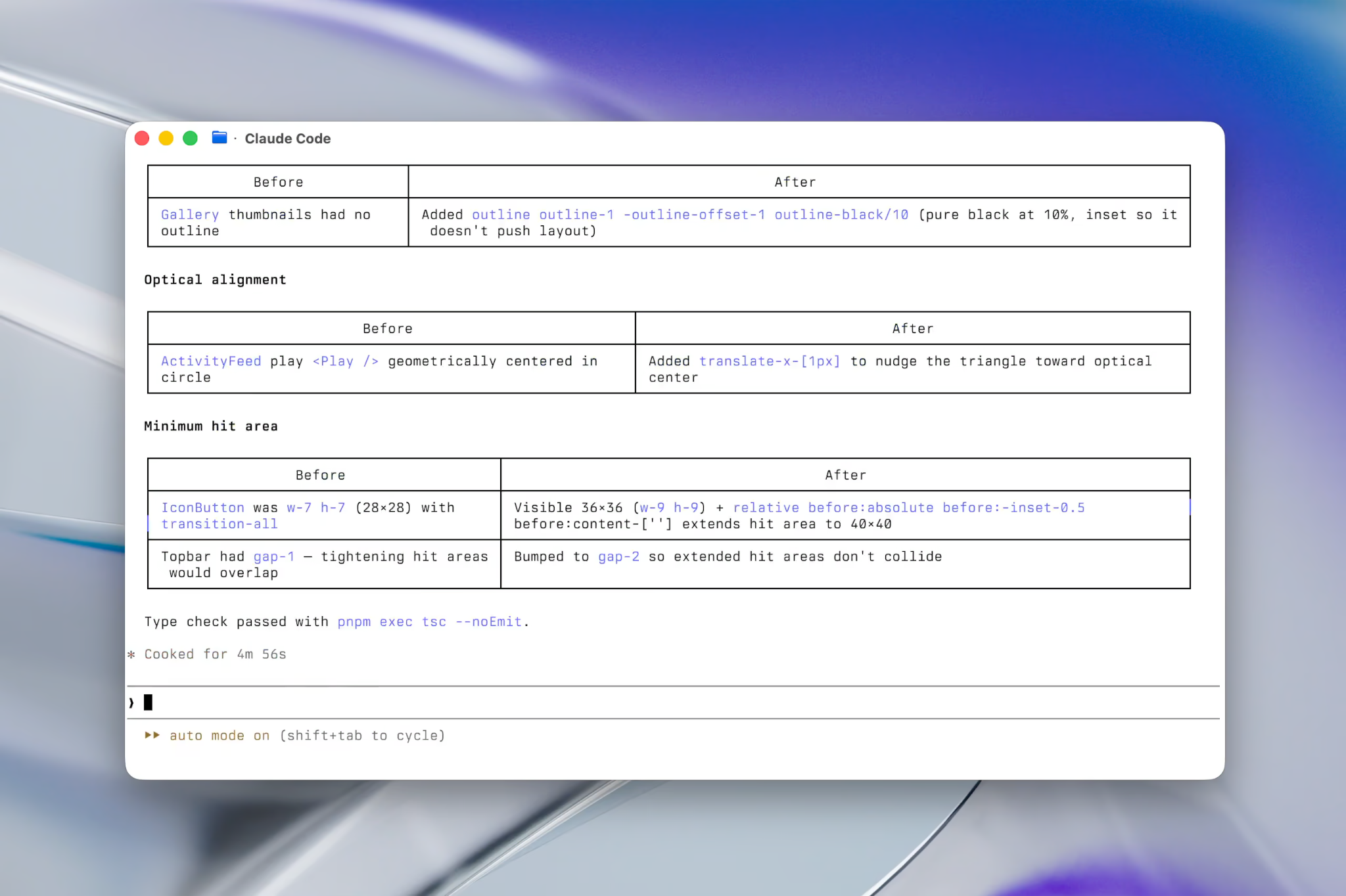
After the skill runs you'll get a comprehensive summary of the changes made. You can ask any follow up questions and the agent will help answer them.